Card lookup
How to Identify a Lorcana Card and Its Exact Printing
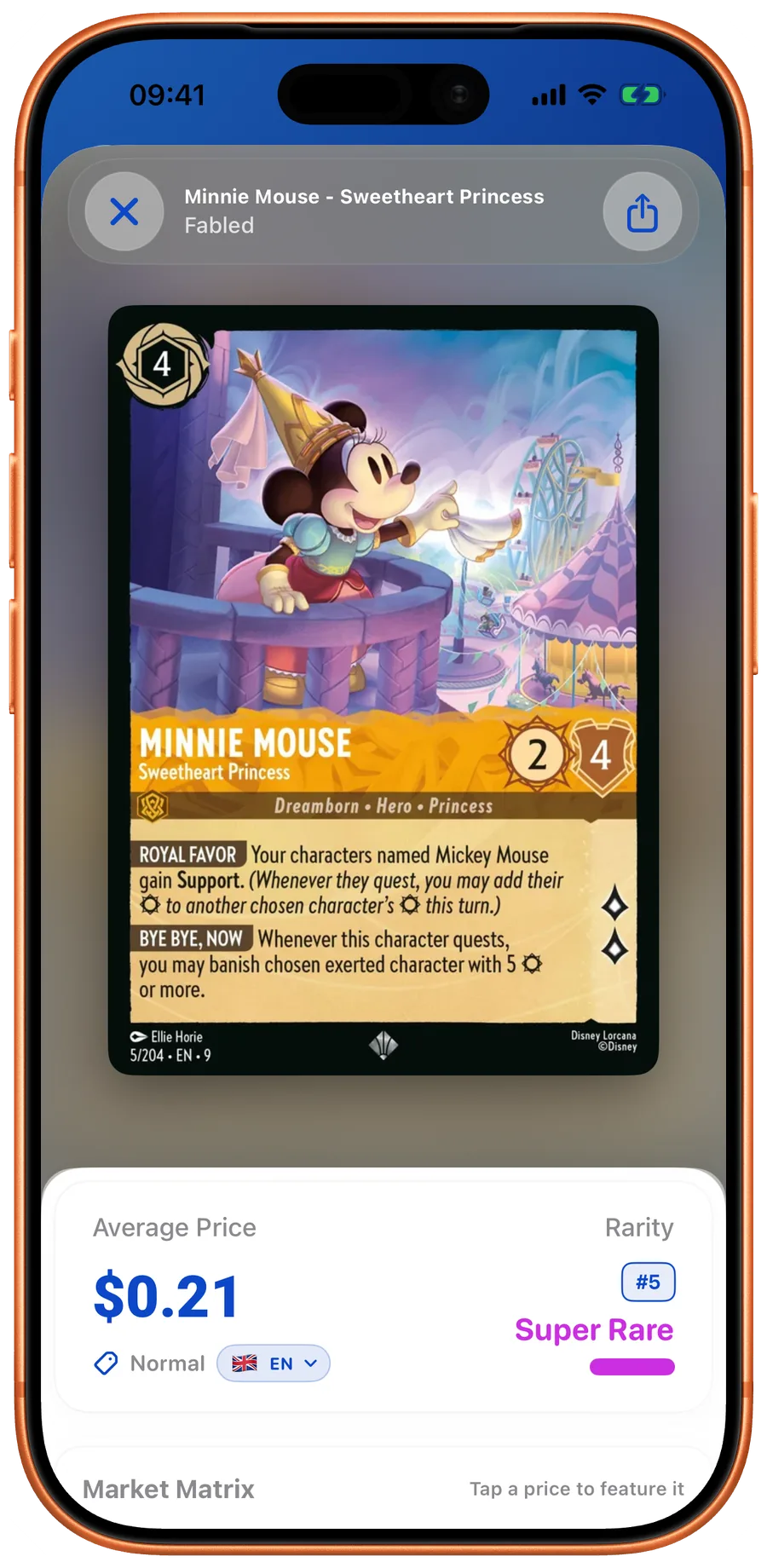
The character name is only the first clue. A useful collection record identifies the full card name, printed collector number, set, language, and finish. Two cards showing the same character can be different game cards or different printings with different prices.
Quick take
- Match the version name and collector number, not only the character.
- Select the finish after checking the physical card.
- Recognition is not a condition grade or an authenticity certificate.
Read the identifying details
Start with the full name at the top, including the version subtitle. Then inspect the bottom bar for the collector number, set indicator, and language. Use those details to narrow the catalog results. Compare the artwork, ink, cost, and rules text as a cross-check.
Separate the printing from the finish
A normal and foil copy can share a collector number. A special-art version may have a separate record. Tilt the physical card in good light and choose the finish that matches what you own. Do not assume a scanner can settle every reflective treatment automatically.
Use the scanner, then verify
The LanaKit scanner opens a matching card record that connects to pricing and collection actions. Check the match before adding multiple copies. For sleeve glare, try even lighting and a clearer view of the card. If recognition is uncertain, use text search and the printed number.
Record copies precisely
Record quantity, finish, language, and condition per group of equivalent copies. One regular card and one foil should not become two regular cards in your inventory. Keep a note for unusual damage or provenance rather than trying to fit it into the card name.

Your next pull belongs in LanaKit.
Take your collection with you. Scan, organize, check prices, and build decks on iPhone or Android.
Download for iPhoneDownload for AndroidFree download. In-app purchases.