Checklist
Printable Disney Lorcana Set Checklists
Choose a set below to open its full card checklist. Each checklist includes collector numbers, rarity, and separate boxes for known normal and foil finishes. You can mark copies you own, print the list, and download the current selections as CSV.
Quick take
- Normal and foil boxes are separate; a check means you own that printing and finish.
- Selections are saved in this browser, not synced to the iPhone app.
- CSV export is a checklist, not a quantity or market-value report.
Decide what completion means to you
A base set, one of every character, all foils, and every premium printing are different collection goals. Choose your target before calculating progress. The checklist counts available print-and-finish boxes, not a pack’s advertised base-card count. Promo and quest printings may live under separate catalog entries.
Sort the binder in collector-number order
Place cards in number order first, then compare them against the list. Mark the normal box for a regular copy and the foil box for a reflective copy when that finish is present in the data. The checkboxes do not count duplicates; keep duplicate quantities in a separate collection record.
Print or take a CSV backup
Open a checklist and use Print for the table without website navigation. Download CSV to keep a portable record of the current selections. A new browser or cleared site data will not retain the checkmarks. CSV is a backup for your spreadsheet workflow; there is no automatic import into the app from this page.
Track quantities on iPhone
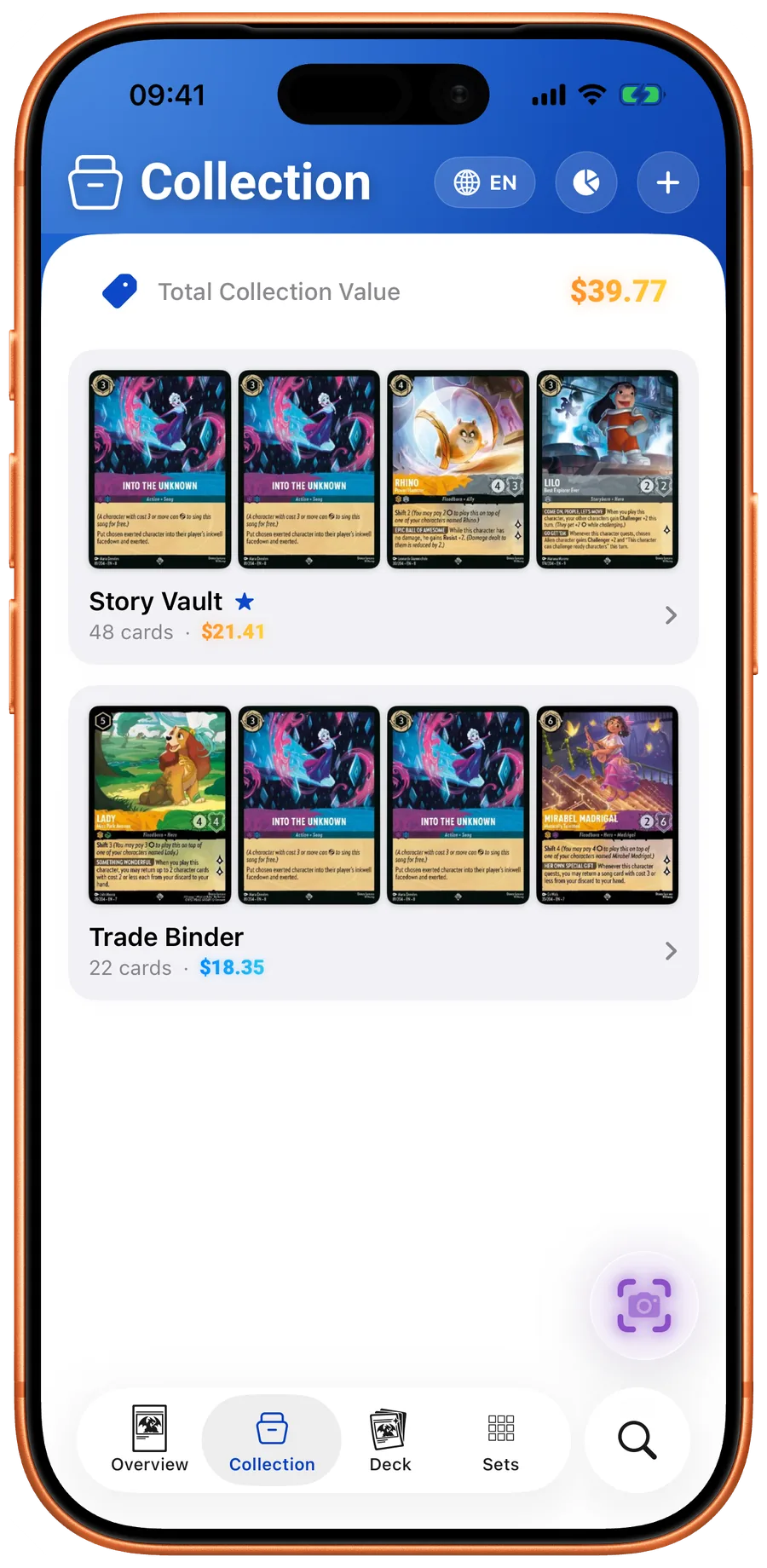
Use LanaKit collections when you need more than an owned-or-missing checklist. Record quantities and finishes, review scan history, and keep cards in separate collections. Review the download FAQ for subscription features.
Your next pull belongs in LanaKit.
Take your collection with you. Scan, organize, check prices, and build decks on iPhone or Android.
Download for iPhoneDownload for AndroidFree download. In-app purchases.